AI_ClassNotes_#14.m4a
AI_ClassNotes_#13.m4a
AI Class Notes #13: Ground It Before You Generate
Thanks so much for your patience! Please find a revamped AI Class Notes focusing on the kinds of topics you shared in your response to the recent poll. That is, top ranked areas you voted for included 1) AI Productivity; 2) Resource Shares; and 3) Quick Tips. These issues will appear once a week, so check back next Wednesday.
1. AI Productivity
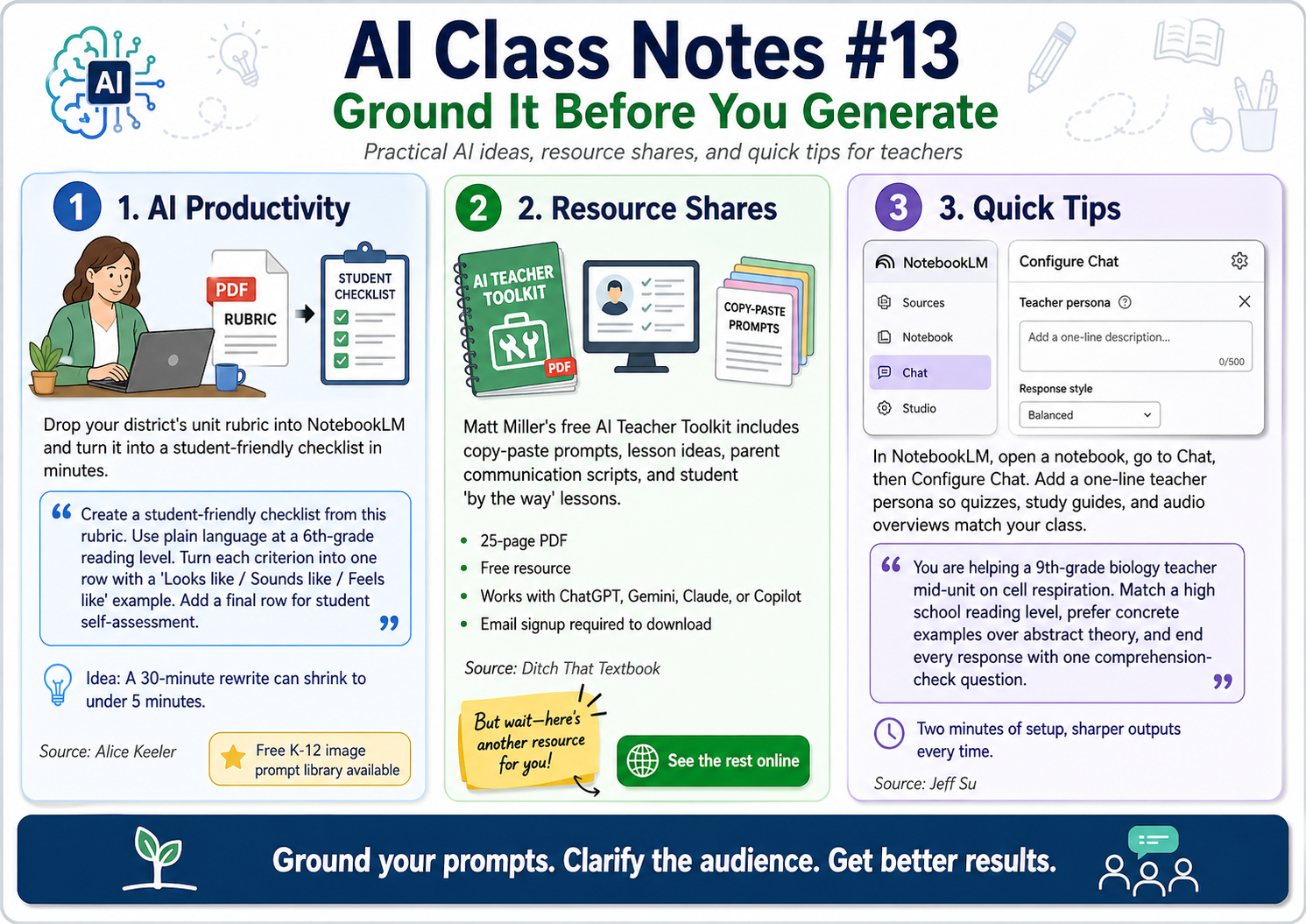
Drop your district's unit rubric (PDF) into NotebookLM. Have it convert the rubric into a student-friendly checklist with kid-language descriptions of each criterion. This can reduce a 30-minute rewrite to under five minutes.
Prompt:
Create a student-friendly checklist from this rubric. Use plain language at a 6th-grade reading level. Turn each criterion into one row with a "Looks like / Sounds like / Feels like" example. Add a final row for student self-assessment.
Source: https://alicekeeler.com/2026/04/11/5-amazing-features-of-notebooklm/
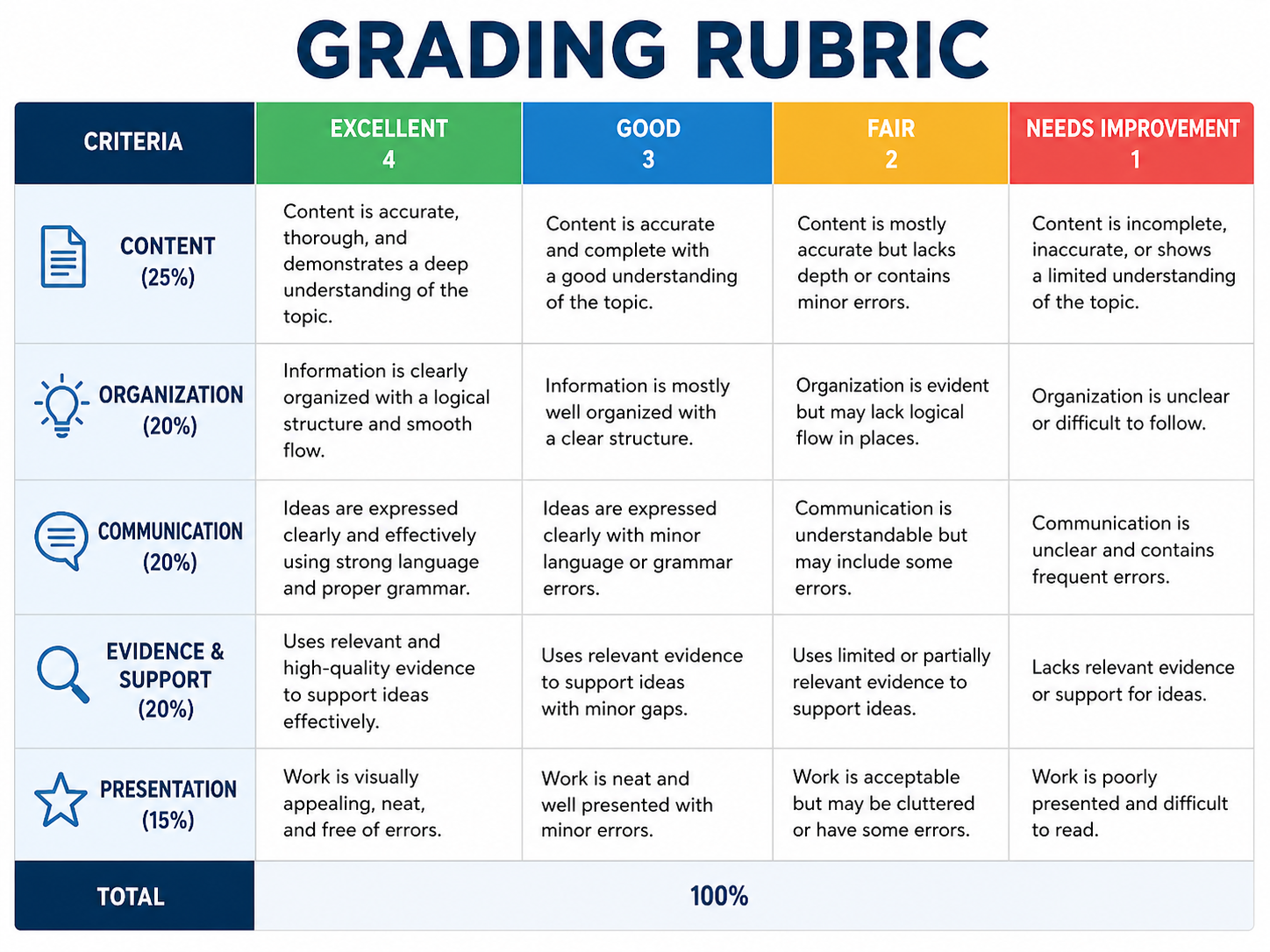
Want access to a 50 image prompt library appropriate for K-12? Check out this free resource compiled for you. Here's an image generated from a rubric prompt in the collection
2. Resource Shares
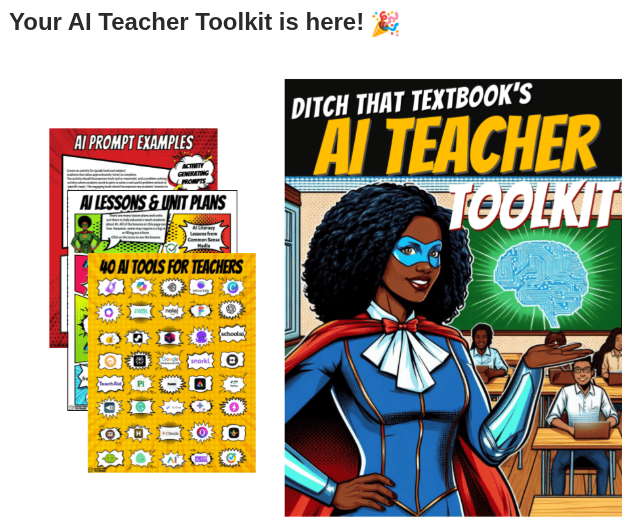
Matt Miller's free AI Teacher Toolkit, a 25-page PDF with copy-paste prompts, lesson ideas, parent-communication scripts, and student "by the way" lessons. No tool to learn, no account to build. Open the PDF, grab a prompt, paste it into whichever AI assistant your district has approved. Email signup required to download, but the resource itself is free and works in ChatGPT, Gemini, Claude, or Copilot.
Source: https://ditchthattextbook.com/ai-toolkit/
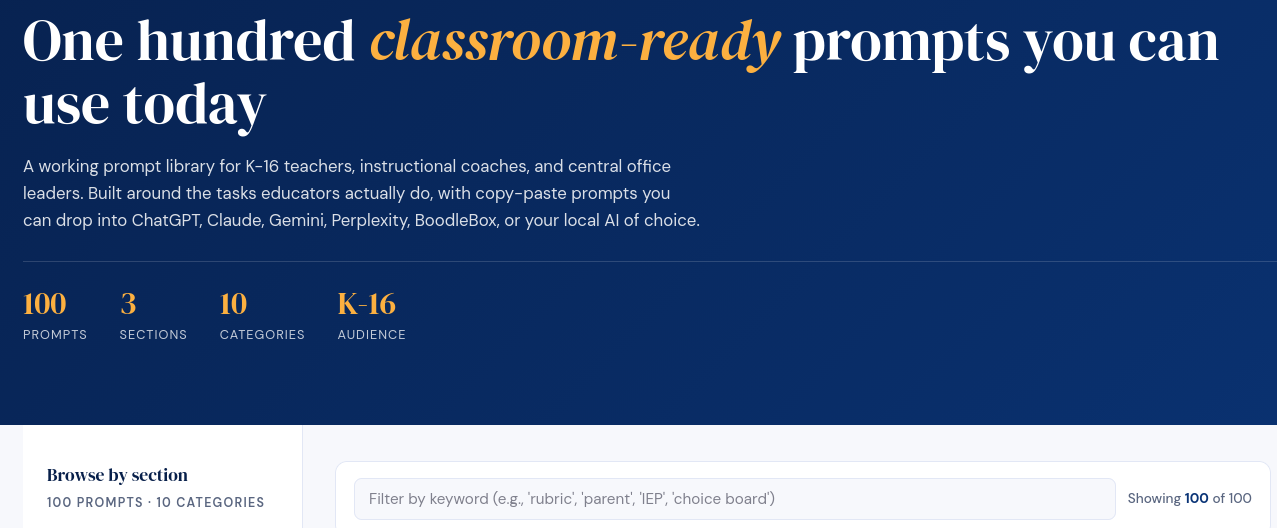
But wait, here's another resource for you:
3. Quick Tips
Open any NotebookLM notebook → Chat panel → Configure Chat. Drop in a one-line teacher persona: who you teach, what unit you're on, what tone you want. Every Studio output after that, including quizzes, study guides, audio overviews, follows that frame instead of giving generic responses. Two minutes of setup, every output sharper from then on.
Sample instruction:
You are helping a 9th-grade biology teacher mid-unit on cell respiration. Match a high school reading level, prefer concrete examples over abstract theory, and end every response with one comprehension-check question.
Source: https://www.jeffsu.org/notebooklm-changed-completely-heres-what-matters-in-2026/
AIClassNotes13_infographic.png
AI_ClassNotes_#10.m4a
AI Class Notes #10: When AI Helps Too Much
AI is evolving from a classroom curiosity into an institutional standard. This issue covers the K-12 research surge, new federal grant priorities, and the ethical guardrails being built through middle school pilot programs and administrative advisory councils.
Headlines
Research Update: UTSA Partners with 60 Educators for Middle School AI
- Researchers at UT San Antonio are collaborating with 60 educators across seven middle schools to develop classroom-ready AI lessons for English, science, history, and math.
- The two-year study aims to observe how teachers’ personal AI literacy translates into actual classroom practice and how these instructional choices shape student conceptual understanding. Source
Discuss: Should AI literacy be taught as a standalone subject, or should it be woven into core subjects like history and math?
Industry Shift: Frontline Education Launches K-12 AI Advisory Council
- Frontline Education, a major provider of K-12 administrative software, announced the formation of a dedicated AI Advisory Council to steer ethical integration across its platforms.
- The council will focus on balancing administrative automation—such as staff scheduling and hiring workflows—with rigorous student data privacy and human oversight. Source
Discuss: What specific administrative tasks in K-12 carry the highest risk if handed over to AI without human verification?
Policy Progress: US Department of Education Finalizes AI Grant Priorities
- The U.S. Department of Education issued a final rule this week that prioritizes federal discretionary grants for K-12 districts that demonstrate a commitment to integrating AI literacy into their teaching.
- The new priorities focus on the "appropriate and ethical use" of AI, giving higher weight to proposals that use technology to improve student outcomes and support educator retention. Source
Discuss: How can districts with fewer resources compete for these grants if they lack the initial infrastructure to pilot AI tools?
Evidence Base: Stanford AI Hub Adds 133 New K-12 Research Papers
- Stanford’s AI Hub for Education expanded its Research Study Repository this week, bringing the total to over 1,270 peer-reviewed and pre-print studies specifically focused on generative AI in K-12.
- The repository’s rapid growth—nearly 15% per month—indicates that the academic evidence base for AI is finally catching up to the industry's marketing, with a heavy focus on "human-AI collaboration" models. Source
Discuss: With the research base growing so quickly, how can busy K-12 administrators stay updated on which "evidence-based" practices actually work?
Perspectives
Only 45% of Principals Report Having Any AI Policy
- More than one in five Texas teachers say their district provided no training on tools they were already using.
- The gap is not enthusiasm; it is the space between teachers already using Gen AI and institutions that have not caught up with clear expectations. Source
Try it: Use the Generative AI Adoption Checklist to audit your school's readiness across 46 items in eight areas.
Students Are Rarely in the Room When AI Policies Get Written
- Students know how Gen AI actually gets used in their peer groups and understand the pressures behind shortcuts.
- Leaving them out of policy conversations means missing critical insight into the reality of the classroom. Source
Try it: Invite three to five students to review your draft AI guidelines and identify gaps between policy and reality.
The First AI Effects Are on Teacher Workload, Not Student Outcomes
- Early adoption data shows educators using Gen AI for lesson plans, assessments, and administrative tasks.
- While helpful for efficiency, it is not the same as improving student learning outcomes directly. Source
Try it: Track one week of your AI use. Categorize each use as "saves me time" or "improves student learning" and notice the ratio.
Tools
Raindrop.io for Content Curation
- A free bookmarking tool that lets you save articles, videos, and links into organized collections.
- Tag items, add notes, and share collections publicly to solve the "seventeen browser tabs open" problem. Source
Try it: Create one Raindrop collection for your main teaching topic and spend one week saving content there instead of browser tabs.
BoodleBox Bots for Newsletter Workflows
- Build a custom bot with your voice, tone, and recurring sections encoded into the system.
- This allows you to make the editorial decisions while the AI handles the mechanical formatting work. Source
Try it: Write three sentences describing your communication style, then use them as the foundation for a custom bot's instructions.
MathosAI and Khanmigo for Guided Math Support
- MathosAI claims higher accuracy than general models for math, while Khanmigo guides students conversationally rather than providing immediate answers.
- These tools include teacher dashboards to track where students are struggling in real-time. Source
Try it: Have students solve one problem independently, then use Khanmigo to check their reasoning rather than just the final answer.
3-2-1 Reflect
3 Ideas to Consider
- Productive struggle is where learning happens. Tools that remove struggle remove learning.
- Your AI policy is incomplete if students were not consulted during its creation.
- Teacher time savings and student learning improvements are two different outcomes. Track both.
2 Questions to Ask
- Does this specific use of Gen AI deepen learning, or simply replace the thinking process?
- What verification process exists before AI-generated content is published or sent to parents?
1 Action to Take Review your current AI practices against the Generative AI Adoption Checklist and identify three gaps to address with your team this month.
AIClassNotes10_Infographic.png
AI_ClassNotes_9.m4a
AI Class Notes #9: The Cost of Convenience
Cognitive Offloading and the Path to Recovery
You hear a lot about AI as a productivity booster, but for students, the stakes are different. While you might use AI to offload a routine task you already know how to do, a student using AI for that same task may never build the underlying cognitive architecture in the first place. This issue explores the critical distinction between losing a skill and never developing one, and how you can design learning to counter cognitive atrophy.
Headlines
Adults Lose Skills; Children Never Build Them
Discussions of cognitive offloading often miss a vital distinction: What AI does to a 45-year-old's brain is categorically different from what it does to a 14-year-old's. While adults may experience "cognitive atrophy" (recoverable loss of skill), children face "cognitive foreclosure," the failure to ever build foundational thinking skills. Source
Discuss: How do you differentiate between "outsourcing a chore" and "outsourcing a foundational skill" in your curriculum?
The Negative Correlation Between AI and Critical Thinking
A study of 666 participants revealed a significant negative correlation between frequent AI tool usage and critical thinking abilities, specifically mediated by increased cognitive offloading. Younger participants showed higher dependence on AI and lower critical thinking scores compared to older cohorts. Source
Discuss: If offloading is the mediator for lower thinking scores, how can you "on-load" specific tasks to rebuild those cognitive muscles?
AI Summaries: A Bad Use Case for Research
Despite their popularity, AI-generated summaries are currently deemed unsuitable for serious academic study. Research indicates they often achieve under 70% accuracy, exaggerate findings, and bypass the essential human functions of assessing and filtering information. Source
Discuss: When does a "predigested" summary prevent a student from actually considering the problem?
Perspectives
Teaching Students When to Struggle
The new task for writing professors, and all educators, is teaching students when to struggle. Generative AI makes it easy to bypass the "messy middle" of thinking. You must move from being a neutral observer to a guide who insists on the productive struggle necessary for long-term retention. Source
Try it: Have students identify one part of a project that felt "hard" and explain why they chose not to use AI for that specific struggle.
Internalization Before Offloading
Cognitive offloading should only follow internalization. If a student offloads a task before they have internalized the logic behind it, they lose the ability to function independently. Praise memory and mental models as the prerequisites for effective AI assistance. Source
Try it: Use "unplugged" sessions where students must map out a concept from memory before being allowed to use AI to expand on it.
The "Golden Age of Stupidity"
We are consuming "ultra-processed" information designed to bypass human functions like filtering and summarizing. This "predigested" content leads to a decline in the ability to function independently or consider a problem deeply rather than finessing the first solution presented. Source
Try it: Ask students to "reverse-engineer" an AI response to find the missing nuances that a human expert would have included.
Make the Learner Think First, AI Second
Producing an answer, even a wrong one, builds stronger retention than receiving a correct one passively. When AI generates first, the learner becomes an editor. When the learner generates first, they've already done the effortful retrieval that builds durable knowledge. Never reverse the sequence. Source
Try it: Require students to submit a handwritten first draft or outline before they can access AI for revision.
Tools & Strategies
Strategies for "Avoiding AI" (To Rebuild Thinking)
Countering offloading sometimes requires "AI-resistant" course design. This includes using in-class handwritten reflections, oral exams, or assignments that require references to very recent, local, or highly specific classroom-only discussions that AI cannot access. Source
Try it: Implement a "Blue Book" day where the first draft of a major thesis must be written by hand in class.
The PRISM Framework for Metacognition
Use the PRISM (Patterns, Reasoning, Ideas, Situation, Methods) framework to help students evaluate their AI use. By forcing students to explain the reasoning and methods AI used, you move them from passive offloading to active metacognition.
Try it: Require an "AI Log" where students must document every prompt used and justify why that task was safe to offload.
Three Evidence-Based Tips Against Cognitive Offloading
- Cultivate critical thinking: Think with AI, not instead of. Treat outputs as hypotheses, not answers.
- Practice meta-thinking: Make your own position explicit before prompting. Afterward, ask what actually changed your understanding.
- Protect slow, embodied thinking: Speed is not learning. Insight needs pauses, integration, intuition, and emotion. Source
Try it: Before any AI-assisted assignment, have students write a brief "pre-prompt reflection" stating what they already know and what they hope to learn.
Use AI to Identify Errors, Not Fix Them
The productive struggle of correcting your own mistakes is what builds the skill. When AI corrects for you, it removes the effort that produces learning. When AI flags that an error exists without supplying the fix, the learner must retrieve the correct form themselves. Source
Try it: Configure AI feedback to highlight where errors exist without providing the correct answer, then have students revise independently.
3-2-1 Reflect
3 Insights to Consider
- Atrophy vs. Foreclosure: Adults lose skills they have; children may never build the skills they need.
- The Accuracy Gap: AI summaries often bypass the critical "filtering" stage of learning, leading to shallow understanding.
- The Offloading Mediator: Critical thinking doesn't just drop; it drops because we offload the tasks that usually build it.
2 Questions to Ask Yourself
- Which "foundational" skills in your subject are currently at risk of being foreclosed by AI use?
- Are you allowing students to offload tasks before they have internalized the underlying logic?
1 Action to Try
Designate a "Struggle Milestone" in your next project, a specific phase where AI use is strictly prohibited to ensure students engage in the cognitive heavy lifting required for mastery.
AIClassNotes9_Infographic.png
AIClassNotes_8.m4a
AI Class Notes #8: Robots Shoot Hoops, Claude Gets Creative
You have new tools for visual design, a smarter coding assistant, and a basketball robot that rarely misses. These updates signal where AI is heading: more capable, more visual, and increasingly physical.
Headlines
Claude Design Lets You Collaborate on Visual Work Anthropic launched Claude Design, a new product that lets you work with Claude to create slides, prototypes, one-pagers, and other polished visuals. Instead of starting from scratch in design software, you describe what you need and iterate through conversation. The tool can apply your team's design system automatically and export to PPTX, PDF, Canva, or standalone HTML.
Discuss: What classroom materials could you co-create with an AI design partner? Where does human judgment still matter most in visual communication?
Canva AI 2.0 Rebuilds Design from the Ground Up Canva unveiled AI 2.0, powered by what they call the first foundation model built specifically for real-world design. The platform now generates complete, fully layered designs through conversation and includes new workflows for web research, scheduling, and brand intelligence. It moves Canva from a template tool to an AI design partner.
Discuss: How might conversational design tools change the way students learn visual communication skills? What gets gained or lost?
Claude Opus 4.7 Handles Your Hardest Coding Tasks Anthropic released Opus 4.7, their most capable model yet for complex software engineering. Users report handing off difficult, long-running coding work that previously needed close supervision. The model verifies its own outputs before reporting back.
Discuss: If AI can now handle advanced coding with minimal oversight, what should introductory computer science courses prioritize teaching?
Perspectives
Toyota's Basketball Robot Shows Where Embodied AI Is Heading Toyota's CUE7 robot combines reinforcement learning with hybrid control systems to shoot baskets with near-perfect accuracy. The bipedal robot visually locks onto targets, calculates trajectories, and sinks shots from remarkable distances. Toyota uses it as a testbed for vision systems, motion control, and physical AI.
Try it: Show students a CUE7 video and ask them to identify the different AI systems working together (vision, calculation, motor control). Have them brainstorm other physical tasks that require similar coordination.
McKinsey Outlines 12 Themes for AI Transformation McKinsey's AI Transformation Manifesto identifies how leading organizations build AI capabilities and scale results. The research emphasizes that successful AI adoption requires more than tools. It demands new workflows, skill development, and organizational change.
Try it: Pick one theme from the manifesto and map it to your school or district. What would "building AI capabilities" look like for your teaching team? Draft three concrete first steps.
Tools
Claude Design – Collaborate with AI to create slides, prototypes, and visual documents through conversation. Powered by Claude Opus 4.7. Available for Pro, Max, Team, and Enterprise subscribers.
Try it: Describe a one-pager you need for an upcoming unit or meeting. See how far you can get through conversation alone before needing to manually adjust.
Canva AI 2.0 – Generate complete designs, documents, and websites through natural language prompts. Includes Memory Library that learns your style over time.
Try it: Ask Canva AI to create a student handout for a concept you teach. Compare the result to a template you would have customized manually. Note what worked and what needed fixing.
3-2-1 Reflect
3 things to consider:
- AI design tools are shifting from "pick a template" to "describe what you need"
- Advanced AI models now verify their own work before delivering results
- Physical AI (robots) requires multiple systems working in coordination
2 questions to ask yourself:
- Which of my current workflows could benefit from conversational design tools?
- How do I help students understand AI as systems working together, not magic?
1 action to take:
- Try one AI design tool (Claude Design or Canva AI 2.0) for a real task you have coming up. Note where it saves time and where you still need to intervene.
AIClassNotes8_Infographic.png
AI_ClassNotes_7.m4a
AI Class Notes #7: When Students Push Back
AI is showing up in more classrooms, graduation ceremonies, and children's apps. Some of what's happening is promising. Some of it is worth a hard look. Here's what you need to know to stay informed and make good decisions for your students.
📰 Headlines
Students petition against AI at graduation. Plano ISD plans to use AI to read graduate names aloud at commencement. Students are pushing back, raising questions about voice, identity, and what ceremony means. Read more Discuss: Should students have a vote on how AI is used in school events that affect them personally?
AI "slop" is flooding kids' content. Low-quality, AI-generated videos are filling platforms like YouTube Kids. Researchers say the scale is a serious threat to child development, with few guardrails in place. Read more Discuss: What do you tell students and families about evaluating the quality of AI-generated content they consume outside school?
Teens using AI for diet advice, and it's risky. A new study finds many teens use AI chatbots daily for meal plans and weight loss advice. The results can be harmful, especially for students already vulnerable to eating issues. Read more Discuss: How do you help students understand that AI outputs are not the same as professional medical or nutritional advice?
AI summaries help learning but shift opinions. A Yale study found people learned history better from AI-written summaries than from human-written ones. The catch: those same summaries quietly nudged readers' political views. Read more Discuss: If AI can improve test scores while also shaping beliefs, what responsibility do schools have to teach students how to read AI content critically?
Does your district have a real AI plan? TCEA released a free, interactive checklist to help districts build a responsible AI adoption strategy. Texas classrooms are already using generative AI, with or without a plan. Read more Discuss: What would it take for your school or district to move from informal AI use to a clear, shared policy?
🔍 Perspectives
AI hasn't fixed math, and may not. A curriculum developer argues that AI falls short in math instruction because it can't replicate the thinking and feedback a skilled teacher provides in the moment. Read more Try it: Use AI to generate practice problems or worked examples, but keep the discussion, error analysis, and feedback in your hands.
One student's first real writing in three years. Two teachers describe how they use structured classroom assignments and clear guardrails to help students re-engage with writing after years of AI shortcuts. Read more Try it: Design one in-class writing task where AI is off the table entirely, then have students reflect on what felt different about the process.
An AI tutor that asks instead of answers. College instructors built "Macro Buddy," an AI tutor trained to guide students through reasoning rather than give them direct answers. Students in macroeconomics showed stronger comprehension as a result. Read more Try it: When students use AI for help, prompt them to ask the AI a follow-up question instead of accepting the first response. Build that habit deliberately.
What schools should actually teach now. One educator argues that AI has exposed how transactional schooling has become, and that the real shift needed is toward teaching judgment, creativity, and meaning-making. Read more Try it: Identify one assignment in your current unit that AI could complete start-to-finish. Redesign it so the most important thinking has to happen in class.
AI challenges how students learn. Research from Chalmers University shows ChatGPT isn't just a study aid. It may be reshaping how students approach learning itself, raising questions about long-term skill development. Read more Try it: Ask students to complete a task twice: once with AI, once without. Have them compare the experience and what they actually learned each way.
Training teachers on AI mindset, not just tools. A study of preservice teachers found that those trained on AI mindset, not just how to use tools, made better decisions when planning lessons with generative AI. Read more Try it: Before your next AI-assisted lesson plan, write down your goal for student learning first. Then decide where AI fits, rather than starting with the tool.
🛠️ Tools
Gemini 3.1 Flash TTS (Google): A new text-to-speech model now built into Google products. It converts written text into natural-sounding audio. Read more Try it: Use it to convert a passage, lesson summary, or reading into audio for students who benefit from hearing text alongside reading it.
TCEA AI Planning Checklist (TCEA): A free, interactive tool to help schools and districts assess where they stand and what they need for responsible AI adoption. Read more Try it: Work through the checklist with your department head or instructional coach. Use the results to identify one concrete gap to address.
AI-Supported Reading Comprehension Framework (MDPI): A research-based approach using the MARSI-R inventory to design AI interactions that support, rather than replace, students' reading strategies. Read more Try it: Before assigning an AI reading tool, identify whether it prompts students to think or just delivers answers. Choose tools that ask questions back.
AI for Behavior Intervention Plans (EdWeek): One school describes using AI to draft behavior intervention plans faster, freeing staff time for direct student support. Read more Try it: If your school uses behavior documentation, ask whether AI-assisted drafting is available and how staff review outputs before use.
🪞 3-2-1 Reflect
3 things worth watching:
- AI-generated content targeting children is growing faster than any oversight system can track.
- Students are using AI for health decisions with no adult guidance or fact-checking in place.
- Research keeps confirming that AI can improve recall while also shaping what students believe.
2 questions worth asking:
- Where in your school does AI use happen without any plan, policy, or adult awareness?
- When students push back on AI (like the Plano graduates), what does that tell you about what they value?
1 thing worth doing:
- Find one place in your curriculum where students could practice evaluating AI output rather than just producing with it.
AI Class Notes #7 | Curated for educators navigating AI in K-16 classrooms.
AIClassNotes7_Infographic.png
AIClassNotes6_Infographic.png
AI_ClassNotes_5.m4a
AI Class Notes #5: Save Your Prompts, Start Your Day
You have new ways to streamline your AI workflow and bring a little joy to your classroom mornings. Chrome now lets you save prompts as reusable shortcuts, and a simple Google Gem can generate personalized student greetings. Meanwhile, major tech companies are making moves that could shape how we access AI.
Headlines
Google Releases Windows Desktop App
Google launched a Windows desktop app with several useful features:
- Quick search across the web, Google Drive, and local files in one place
- macOS Spotlight-like search box for fast access
- Screen sharing capabilities built in
- Unified interface for finding information across platforms
Discuss: How do you currently search across your files and the web? What would unified search change about your workflow?
Amazon Acquires Globalstar for Satellite Expansion
Amazon agreed to acquire satellite operator Globalstar, with the deal set to close in 2027:
- Expands Amazon's low Earth orbit (LEO) satellite network
- Amazon and Apple report LEO will power some iPhone and Watch services
- Signals growing investment in satellite-based connectivity
- Could affect how rural schools access internet in the future
Discuss: How might satellite internet change connectivity for schools in underserved areas? What opportunities could this create for remote learning?
Anthropic Redesigns Claude Code Desktop
Anthropic rolled out a major visual overhaul to its coding tool:
- New sidebar for managing multiple sessions
- Drag-and-drop layout for organizing projects
- Integrated terminal built into the interface
- File editor included for quick changes
- Over 1 million views on the announcement
Discuss: As AI coding tools become more polished, how might they change what we teach students about programming? What skills remain essential?
Perspectives
Morning Greetings Can Be Personal and Visual
A custom Google Gem can generate personalized morning greetings for students:
- Creates unique greetings tailored to your class
- Generates AI images to accompany the message
- You control the tone and style
- Quick way to start the day with positivity
- No design skills required
Try it: Open the Morning Greetings Gem, ask what it can do, then click "Create image" to generate a visual greeting for your class.
Prompt Structure Improves Image Results
When using image generators like Nano Banana, specificity matters. Strong prompts include:
- Subject: Who or what appears in the image (a fluffy calico cat)
- Composition: How the shot is framed (extreme close-up, wide shot)
- Action: What is happening (brewing coffee, reading a book)
- Location: Where the scene takes place (sunny meadow, cozy library)
- Style: The overall aesthetic (watercolor painting, digital illustration)
- Editing Instructions: For modifying existing images, be direct and specific
Try it: Generate a classroom image using this structure: "A diverse group of elementary students, medium shot, reading together on a colorful rug, in a cozy classroom library corner, illustrated in a warm watercolor style."
Tools
Chrome Skills
Save your favorite AI prompts as reusable one-click workflows:
- Type a forward slash ( / ) in Gemini within Chrome to access
- Choose from 50+ preset Skills for common tasks
- Create your own Skills for scanning documents, summarizing text, or drafting emails
- Eliminates retyping the same prompts over and over
- Build and share a personal library of your most-used prompts
Try it: Create a Skill for a task you do weekly, like generating discussion questions from an article or drafting parent communication.
Claude Code Routines
Set up automated workflows that run on a schedule:
- "Routines" let you configure a workflow once and run it automatically
- No manual triggering required after setup
- Manage multiple projects in the new sidebar
- Run sessions side-by-side for comparison
- Best for recurring, predictable tasks
Try it: If you use Claude Code, explore setting a routine for a recurring task like generating weekly vocabulary lists or formatting assessment data.
Nano Banana Image Generation
Create images by specifying detailed elements in your prompt:
- Available in BoodleBox by typing @nano-banana-pro
- Responds well to structured prompts with multiple elements
- Can edit existing images with specific instructions
- Works for classroom visuals, presentations, and creative projects
- Experiment with different styles (cartoon, realistic, watercolor)
Try it: In BoodleBox, type @nano-banana-pro and request: "A friendly robot teacher helping a student with math, close-up shot, pointing at a whiteboard, in a futuristic classroom, digital illustration style."
3-2-1 Reflect
3 Ideas to Consider
- Saving prompts as reusable Skills could reduce the friction of using AI for routine tasks.
- Personalized greetings, even AI-generated ones, can set a positive classroom tone.
- As AI tools get more polished interfaces, the barrier to entry keeps dropping.
2 Questions to Ask Yourself
- Which of my daily tasks involve repeating the same AI prompt?
- How might I use visual AI tools to create moments of connection with students?
1 Action to Take Identify one prompt you use frequently and save it as a Chrome Skill or keep it in a document for quick access.
AIClassNotes5_Infographic.png
AI_ClassNotes_4.m4a
AI Class Notes #4: Make the Slides, Skip the Blank Page
You know the feeling of staring at an empty slide deck. AI tools can now take your existing content, notes, blog posts, even scribbled outlines, and turn them into a working first draft. That draft becomes your thinking tool, not a finished product. You decide what stays, what moves, and what the presentation actually says.
Headlines
Half of Gen Z Uses AI, but Their Feelings Are Souring A Gallup study finds young adults are less hopeful and more frustrated with AI than before. Read it
Discuss: Ask your students, "What would make AI feel more useful or more fair to you?" Use their answers to shape how you introduce AI tools in class.
El Paso Schools Work to Keep Pace With AI District schools are building AI literacy, setting policies, and putting tools directly into students' hands. Read it
Discuss: What does "AI literacy" mean in your building? Compare El Paso's approach to what your school is doing, or not yet doing.
AI Is Reshaping What and How College Students Study A large San Diego State University study finds California college students use AI differently across subjects, lives, and career plans. Read it
Discuss: How are your students using AI outside of class? Does your school know? Does it matter?
The 2026 Stanford AI Index Report Stanford's annual data-heavy look at where AI stands across research, policy, education, and society. Read it
Discuss: Pull one chart or stat from the report and use it as a bell-ringer. Ask students: "What does this number mean for your future?"
Perspectives
Start With Your Own Content, Not a Blank Page As Gen AI becomes more capable, there's always a concern that cognitive offloading will result in the atrophy of human thinking. As much as I appreciate this concern, I try to employ AI to do things that would take countless hours. One of these tasks involves organizing my own content (e.g. blog entries, old presentations, handwritten notes, scribbled outlines of presentations, and diagrams) into a coherent whole. Rather than start with a blank page (an experience I'm quite familiar with, thank you), I start with a draft of slides then figure out, "Is this organized and sequenced the way I think?" It's been a huge time-saver.
Try it: Paste three to five bullet points from your notes into an AI tool. Ask it to organize them into a five-slide outline. Then ask yourself: "Does this match how I actually think about this topic?"
Your Slide Prompts, Ready to Use A set of slide-making prompts and project instructions has been collected and published on a free GitHub page. You can copy, edit, and reuse them.
Try it: Visit the vibe-coded slide-maker prompt page and test one prompt with your own content. Start with "The Presentation Architect" prompt and adjust the output until it sounds like you.
Turning Videos Into Lessons TCEA's TechNotes blog walks through how to convert classroom videos into structured teaching tools using AI. Read it
Try it: Take a short video you already use in class. Run it through an AI tool and ask for a lesson outline, a discussion question, and one formative check.
Tools
Gamma Turns your text or outline into a visual presentation, website, or document. Free to start. No design skill needed.
Try it: Paste a lesson objective and three supporting ideas. Ask Gamma to build a five-card presentation. Use it as a starting point, not a final product.
Claude for PowerPoint Claude builds and edits slides inside PowerPoint in real time. It respects your existing templates, fonts, and formatting.
Try it: Open a deck you already own. Ask Claude to add a slide summarizing your key point, or to reorganize the sequence. Accept or reject each change.
Claude for Word Claude reads and edits Word documents while keeping your formatting intact. Every edit appears as a tracked change.
Try it: Drop a rough lesson plan into Word. Ask Claude to tighten the language or add a differentiation suggestion. Review the tracked changes before accepting.
Claude for Excel Claude reads your entire workbook, including formulas and multi-tab dependencies, and helps you make sense of the data.
Try it: Upload a gradebook or survey results. Ask Claude to summarize patterns or flag anything worth a closer look.
OKK Slides An AI slide-maker that turns your ideas into professional-looking PowerPoint decks in minutes.
Try it: Give it a topic you teach. Rate the output: Did it get the sequence right? Did it miss anything important? That gap is where your expertise lives.
VoxDeck An AI presentation tool built around voice input. Speak your ideas and let it build the deck.
Try it: Narrate a two-minute explanation of a concept you teach. See how the tool organizes your spoken words into slides.
3-2-1 Reflect
3 things to try:
- Use an AI tool to draft slides from your own notes
- Test one slide-making prompt from the prompt page
- Turn a video you already use into a structured lesson with AI support
2 questions to sit with:
- When AI builds the first draft, who is doing the thinking?
- How do you make sure the final product still sounds like you?
1 reminder: The blank page is not the goal. The thinking is. AI can give you a draft to push back against. That pushback is where your expertise shows up.
AIClassNotes3_Struggle.jpg
AIClassNotes2_infographic.png
AICLassNotes_1_2_3.m4a
AI Class Notes #1: When to Struggle
**Note: **This is the start of a new series that will appear on a regular basis. I'd love to hear from you and find out what you think about the Gen AI school push. I promise only one per day. - Miguel Guhlin
You've probably noticed the conversation around AI in schools is shifting. It's no longer just about whether students are using it—it's about whether they're learning to think alongside it. A former OpenAI researcher says detection is a lost cause. A writing professor argues the real skill is knowing when not to use AI. And new research shows AI-generated summaries still can't be trusted for academic work. Whether you're rethinking assignments or exploring new tools, these updates will help you make more informed choices. The 3-2-1 at the end wraps things up for you. Also, be sure to check the TCEA TechNotes blog for upcoming entries on this subject.
Headlines
The debate over AI in schools is shifting from "how do we catch cheaters?" to "how do we teach judgment?"
Karpathy on Detection. Former OpenAI researcher says AI detectors are "doomed to fail." Discuss: Should schools stop trying to detect AI use and focus on assessment redesign?
China's AI Education Plan. Ministry aims to bring AI to all K-12 schools by 2030, including facial monitoring. Discuss: What are the tradeoffs between personalization and student privacy?
AI Summaries Fall Short. Study finds even top tools achieve under 70% accuracy and often exaggerate findings. Discuss: When should students trust AI-generated summaries—and when shouldn't they?
Perspectives
Educators and researchers are converging on a theme: AI literacy isn't about the tool—it's about thinking.
Teaching When to Struggle. Writing professor shifts from neutral observer to guide with a point of view. Try it: Ask students to draft with and without AI, then justify their choices aloud.
AI Literacy as Critical Practice. Essay argues true literacy means knowing when not to use AI. Try it: Run an "unplugged" classification activity to teach how AI sorts information.
How Educators Use Claude. Anthropic report finds curriculum development is the top use; grading remains contentious. Try it: Reflect on your own AI use—where do you collaborate vs. delegate?
Tools
These platforms are some that people have mentioned to me. They are designed with educators in mind. Each offers a different entry point depending on your needs. There are many others. What are some you would recommend? Reply to this post with your own use cases and I will include them in future issues.
MagicSchool. 80+ tools for lesson plans, rubrics, and student AI literacy. Try it: Generate a quiz draft, then refine it with your own questions.
Brisk Teaching. Chrome extension for differentiation and feedback inside Google Docs. Try it: Use it to adapt a reading passage for multiple reading levels.
NotebookLM. Google's research assistant with source-grounded summaries and citations. Try it: Upload a unit's readings and generate a study guide for review.
BoodleBox. Collaborative AI platform with multiple models and custom bot creation. Try it: Build a custom bot to help students analyze primary sources.
Colossyan. AI video creator with avatars, quizzes, and branching scenarios. Try it: Create a short instructional video for a flipped classroom lesson.
3-2-1 Reflect
3 things to consider:
AI detection may be a losing battle—what does that mean for how you design assessments?
Knowing when not to use AI might be the most important skill you can teach.
AI-generated summaries still miss the mark—verification remains essential.
2 questions to ask yourself:
Where in your practice do you collaborate with AI vs. delegate to it?
How are you helping students develop judgment about when to struggle on their own?
1 thing to try:
- Pick one tool from the list above and explore it for 15 minutes. What's one task it could take off your plate? ---# AI Class Notes #2: Policy First, Play Later
One of the big challenges for schools, nonprofits, and businesses? If you don't have a plan, policy, or set of guardrails governing how you use Gen AI, you may be sticking your head in the sand. Whether you support Gen AI use or not, you still need a plan for dealing with it. Gen AI tools are quickly becoming ubiquitous, and you need agreement on how to use them—explore one approach via the Gen AI Adoption Checklist for K-16 Educational Institutions (Note: Password in comments on this post).
Headlines
Google is making moves, OpenAI is adjusting pricing, and the debate over AI in classrooms continues to heat up.
Gemini Gets Notebooks. Organize chats and files with NotebookLM sync. Discuss: How might organized AI workspaces change student research habits?
ChatGPT Pro at $100. New mid-tier plan bridges $20 and $200 options. Discuss: Should districts budget for premium AI access, or stick with free tiers?
Gemma 4 Released. Google's most capable open models for advanced tasks. Discuss: What role should open-source AI play in school technology decisions?
Pause on Classroom AI?. Op-ed calls for moratorium until independent research catches up. Discuss: What evidence would you need before expanding or pausing AI use in your school?
Perspectives
Voices from higher ed and industry are weighing in on how to use AI responsibly—and what happens when you don't.
AI & Academic Integrity. Cornell's guide to writing with AI authentically. Try it: Have students compare their voice in AI-assisted vs. unassisted drafts.
Enterprise AI ROI Benchmarks. 2026 data on productivity gains and adoption trends. Try it: Use the benchmarks to frame a faculty discussion on measuring AI impact.
Tools
From dashboards to flyers to 3D visualizations, these tools put Gen AI to practical use.
KPI Dashboards with Gen AI. Build interactive school dashboards without coding. Try it: Create a dashboard tracking attendance or assignment completion for your class.
News-Style Pet Flyers. Teach real-world writing through missing pet scenarios. Try it: Have students write a news-style flyer for a classroom mascot or lost item.
Vibe Code for Google Sheets. Connect custom GPTs to spreadsheets for quiz data. Try it: Build a simple quiz bot that logs student responses to a shared sheet.
Gemini 3D Visualizations. Ask Gemini to visualize concepts with interactive models. Try it: Prompt Gemini to "help me visualize how photosynthesis works" for a science lesson.
Google AI Edge Eloquent. On-device AI assistant app from Google. Try it: Test offline AI capabilities for classrooms with limited connectivity.
Pika AI Self. Create a personalized AI agent as a digital extension. Try it: Explore with students how identity and voice translate into AI personas.
3-2-1 Reflect
3 things to consider:
- Having no AI policy is itself a policy—one that leaves decisions to chance.
- Google's notebook and visualization features are blurring the line between chatbot and research tool.
- The call for an AI pause reflects real concerns about moving faster than evidence allows.
2 questions to ask yourself:
- What would a responsible AI adoption checklist look like for your specific context?
- Are you using AI tools to replace thinking, or to extend it?
1 thing to try:
- Draf